All our Wi-Fi devices will have a 4 digit code in the format AA:BB clearly labeled on the front. This helps us to find the device so we can provide prompt service.
WAP
WAP stands for Wireless Access Point. You may have 1 or more in your premises.
All the WAP’s get their power from the network hub so you don’t need to plug them into a mains socket.
You must never reset a WAP. This will cause it to lose its programming and a technician will be needed to reprogram it. We charge a callout and time fee for this.
Wi-Fi key (Password)
Each premises has a different password. You should not share this with anyone. Passwords are changed manually and if your system is managed by a controller, then your IT person may change it for you. Please use the ticketing system to request a new Wi-Fi password.
WPS button
The WAP’s do not have a WPS button and the Wi-Fi keys need to be entered into devices manually.
EAP650 Wall
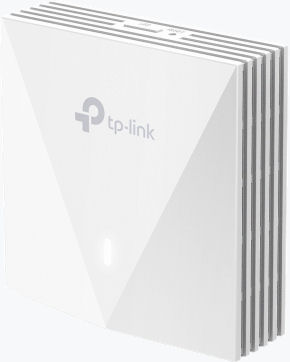
The EAP650 Wall is a compact Wi-Fi category 6 device we normally install behind TV sets or a gaming PC. The advantage of this WAP is that it has a Gigabit network socket underneath which may be connected directly to a PC, TV, Game console etc, for lower pings, higher speed and better stability than using a Wi-Fi connection. We can upgrade this to a model with 3 x Network Sockets so, three devices may be connected.
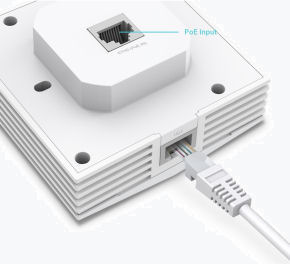
Please note that there is a button on top of this device which simply switches off the LED. It does nothing else.
EAP 650
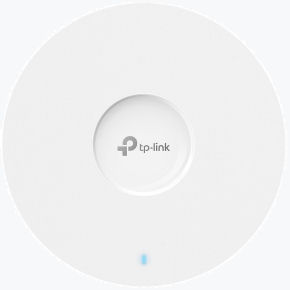
The EAP650 may be wall or ceiling mounted. We normally place this in the center of a premises. As long as there is only one wall between it and your device, it should give great performance. If the premises has several rooms and floors, we may need to install more of these (and /or EAP650 WAll). We like to make sure you have good signal strength at the locations you intend to use your devices.
Network cables
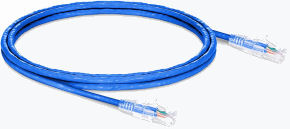
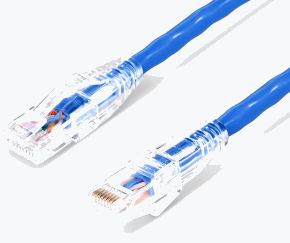
Network cables can be a variety of colours and anything from 25CM long to 300 Meters. The ends have a transparent connector with 8 cables terminated in it. All 8 cables are needed for GigaBit networking. You would use one of these to connect your TV, Game consul, personal computer or other hard wired device. Hard wiring your device removes the losses caused by a Wi-Fi connection and also lowers the ping (very useful for gaming!). Also, the further away your device is form the WAP, the lower the internet speed becomes.
Ordering network cables
We can provide network cables for a small fee but you can simply get them from Argos. Make sure the RJ45 network cable is CAT5 or CAT6.